
Power Apps vs Traditional App Development
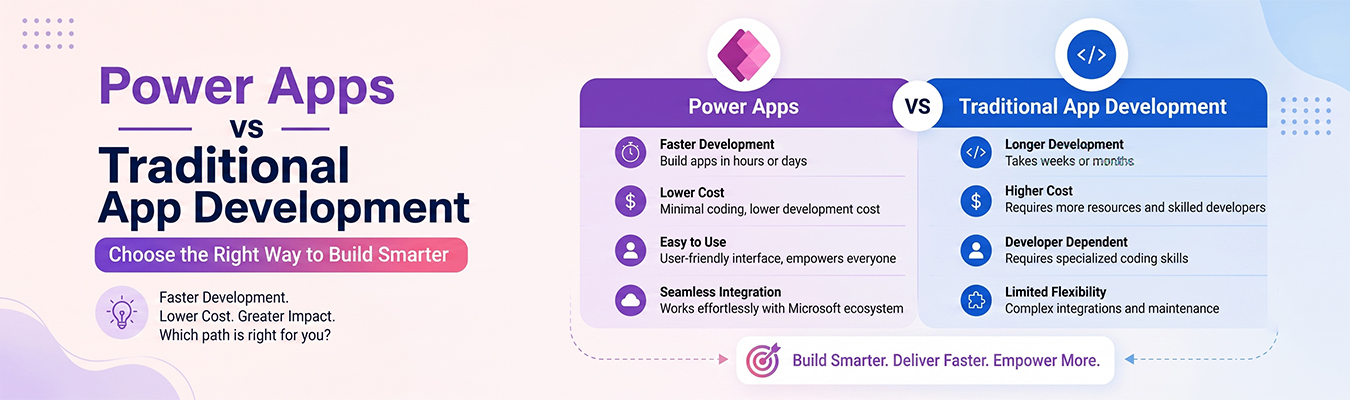
When a business wants to build an app, they usually have two choices: build it the old way with coding, or use a tool like Microsoft Power Apps that needs little to no coding. In this article, we’ll compare Power Apps vs traditional development in simple, easy-to-understand words.
Think of it like building a house. Traditional development is like building a house brick by brick from scratch. Power Apps is like using ready-made pieces that snap together quickly, similar to building with LEGO blocks.
Development Process
Traditional app development means writing code line by line using programming languages like Java, Python, or Swift. This requires trained developers who understand coding and can spend weeks or months building an app.
Power Apps, on the other hand, is a low-code platform. This means you don’t need to write much code at all. Instead, you drag and drop buttons, forms, and screens to build your app. It’s similar to arranging furniture in a room instead of building the whole room from scratch.
Because of this, Power Apps makes business application development faster and easier, even for people who aren’t professional coders.
Cost Comparison
Cost is one of the biggest differences between these two approaches.
Traditional development costs more because:
- You need to hire skilled developers.
- Building custom code takes a long time, which means higher labor costs.
- Testing and fixing bugs can also take extra time and money.
Power Apps is usually cheaper because:
- You don’t need a large team of expert coders.
- Apps can be built faster, which saves money.
- Microsoft offers pricing plans that fit different business sizes.
For small businesses or teams with limited budgets, a low-code platform like Power Apps can be a smart, cost-friendly choice.
Time Savings
Time is very important in business, and this is where Power Apps really shines.
- Traditional development can take weeks or even months to finish one app, especially if it’s complex.
- Power Apps can help build a simple app in just a few days, or sometimes even hours, because much of the work is already done through templates and drag-and-drop tools.
This means businesses using Power Apps can solve problems and launch tools much faster than waiting for a fully coded app to be built.
Maintenance
After an app is built, it still needs regular updates and fixes. This is called maintenance.
- Traditional apps often need a developer to go back into the code every time something needs to be changed or fixed. This can take time and cost extra money.
- Power Apps are easier to update because changes can be made using the same simple drag-and-drop tools used to build the app in the first place. Even non-coders can often make small updates.
This makes Power Apps a great option for teams that want to make quick changes without depending on a developer every time.
Best Use Cases
So, when should you choose Power Apps, and when is traditional development better?
Power Apps works best for:
- Small business tools like inventory trackers or feedback forms.
- Internal company apps used by employees.
- Simple apps that need to be built quickly.
Traditional development works best for:
- Large, complex apps like games or apps used by millions of people.
- Apps that need very specific, custom features.
- Projects where performance and speed are extremely important.
Final Thoughts
In Power Apps vs traditional development approaches, both have their own strengths. If you need something simple, fast, and affordable, a low-code platform like Power Apps is a great choice. But if you’re building something big and complex, traditional coding might still be the way to go.
For most everyday business needs, Power Apps offers a faster and easier path to smart business application development — without needing a team of expert programmers.