
Top Power Automate Use Cases for Business Automation
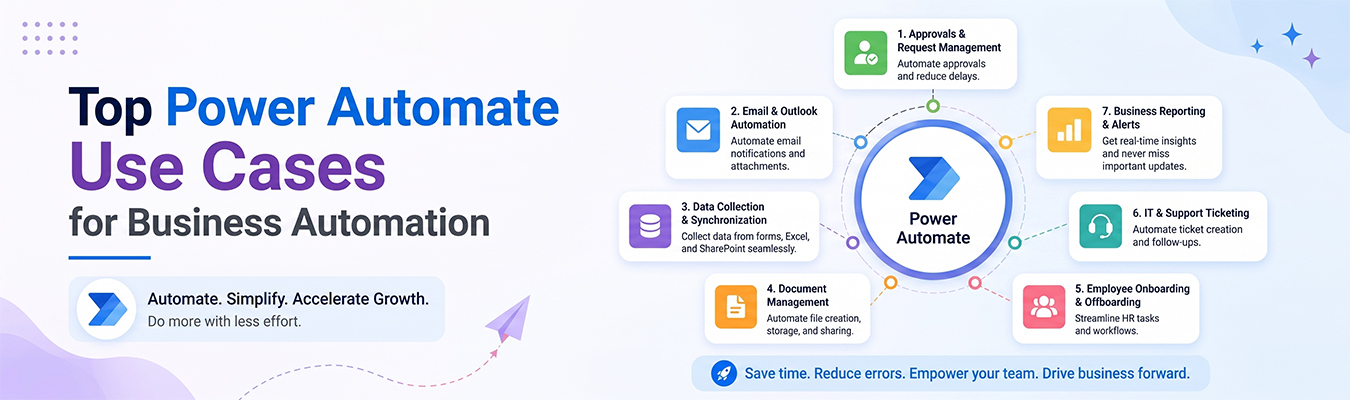
Businesses have to do a lot of repeated work every day — sending emails, updating spreadsheets, approving forms, and more. Doing all of this by hand takes time and can lead to mistakes. That’s why many companies use tools like Microsoft Power Automate. In this article, we’ll look at some of the best Power Automate use cases for businesses, explained in simple words.
Think of Power Automate as a helpful robot assistant. It handles small, repeated tasks so people can focus on more important work.
HR Automation
The Human Resources (HR) team deals with a lot of paperwork, like hiring, onboarding, and leave requests. Power Automate can help by:
- Sending welcome emails automatically when a new employee joins.
- Reminding managers to approve leave requests.
- Collecting employee feedback through automatic forms.
- Updating employee records without manual typing.
This kind of business process automation helps HR teams save hours of work every week and reduces paperwork errors.
Finance Automation
Finance teams handle money, bills, and reports, so accuracy is very important. Power Automate can help finance teams by:
- Automatically sending invoice reminders to clients.
- Collecting expense reports from employees in one place.
- Alerting managers when a budget limit is close to being reached.
- Moving financial data from one system to another without manual copying.
Using workflow automation software like Power Automate helps reduce human error in money-related tasks, which is very important for any business.
Sales Automation
Sales teams often juggle many customers, emails, and follow-ups at once. Power Automate can make their work easier by:
- Sending automatic follow-up emails to potential customers.
- Updating customer information in a database after a call or meeting.
- Notifying the sales team when a new lead fills out a form.
- Creating reminders for follow-up calls or meetings.
These simple automations help the sales team stay organized and respond to customers faster, which can lead to more sales.
Productivity Benefits
Using Power Automate across different departments brings several productivity benefits:
- Less manual work – Employees spend less time on repetitive tasks.
- Fewer mistakes – Automated steps reduce human error.
- Faster processes – Tasks that took hours can now happen in minutes.
- Better teamwork – Automated notifications keep everyone updated.
- More focus on important work – Employees can spend time on tasks that truly need their attention.
Because of these benefits, workflow automation software has become a helpful tool for teams of all sizes, from small startups to large companies.
ROI
ROI stands for “Return on Investment.” It means figuring out if the money and time spent on a tool are worth it. So, is Power Automate worth it?
For most businesses, yes. Even though setting it up takes some initial time, the long-term benefits are usually much bigger than the cost. Companies save money by:
- Reducing the number of hours employees spend on manual tasks.
- Avoiding costly mistakes caused by human error.
- Speeding up processes, which can lead to happier customers and more sales.
Many companies notice a positive ROI within just a few months of using Power Automate, especially when it’s used across HR, finance, and sales departments together.
Final Thoughts
From HR to finance to sales, there are countless Power Automate use cases that help businesses run more smoothly. By using workflow automation software, companies can save time, reduce errors, and let employees focus on more meaningful work. Whether you’re a small business or a large company, exploring business process automation with tools like Power Automate is a smart step toward working smarter, not harder.